Tempo for service businesses
Invoice reminders that get you paid without the awkward chasing
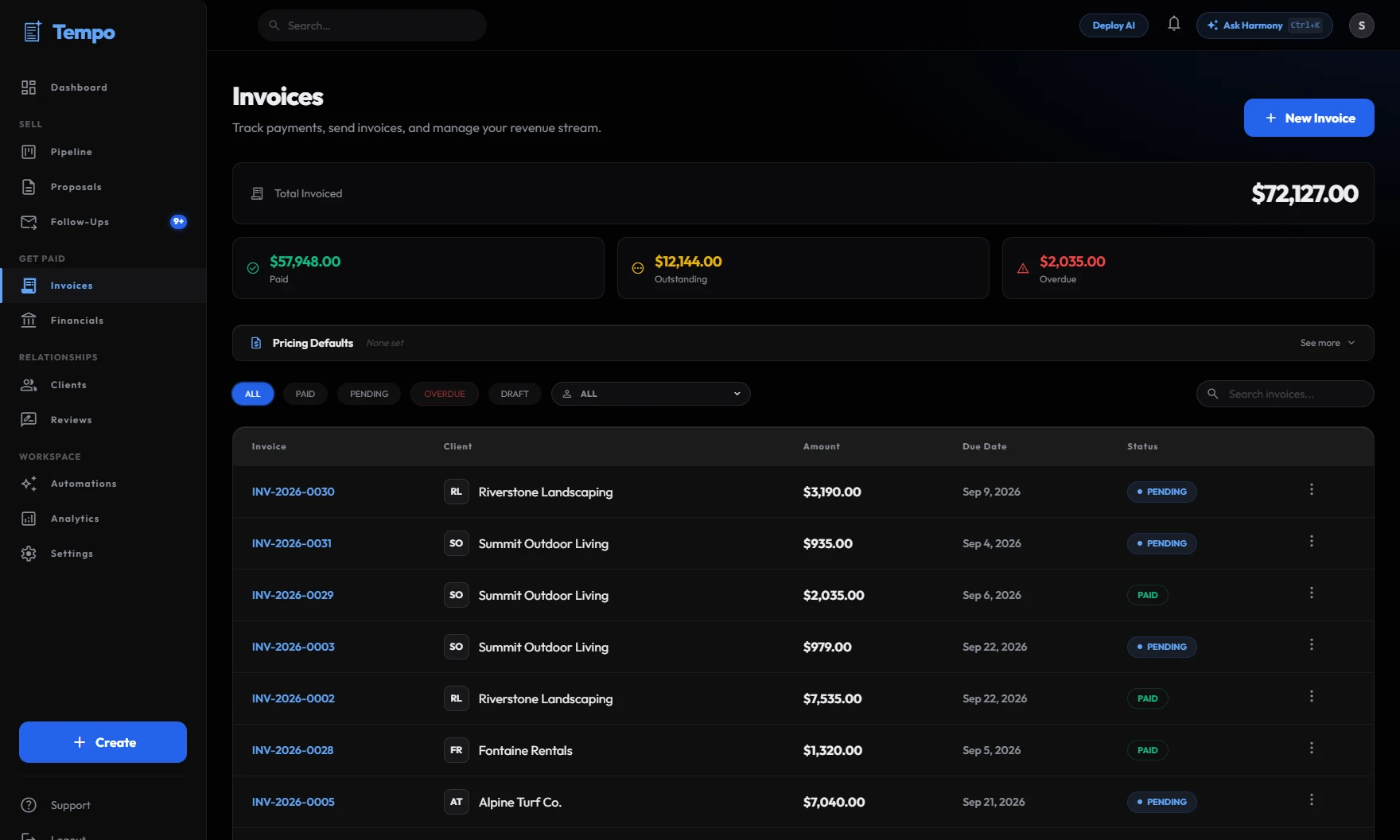
Send invoices with an online payment link. When one is coming due or goes overdue, Tempo drafts a polite reminder and puts it in front of you to approve.
Start free30-day free trial. Cancel anytime.
The problem
Chasing payments is the part of the job nobody wants. Reminders get forgotten, invoices slide past due, and cash you already earned sits in someone else’s account.
How Tempo handles it
- Step 1
Send the invoice with a payment link
Create an invoice in Tempo with a payment link from Stripe or Square (connected in one click), or your own PayPal or Venmo link, so your client can pay online.
- Step 2
Tempo watches the due dates
Tempo checks your invoices every hour, marks late ones overdue, and alerts you when an invoice is due tomorrow or a finished job hasn’t been billed.
- Step 3
Approve a ready-made reminder
Turn on reminder automations and Harmony drafts a warm but firm payment reminder for each client, before the due date or once it’s overdue. You approve it and it goes out by email.
You stay in control
Nothing reaches a client until you approve it. Every draft waits in your approval queue, where you can edit it, approve it, or throw it away. There is no setting that lets Tempo send on its own.
Frequently asked questions
Tempo drafts them automatically, but you approve each one before it’s sent. That keeps the tone right for every client relationship.
Yes. Connect Stripe or Square in one click and invoices include a card payment link that marks the invoice paid automatically. You can also use your own PayPal or Venmo link.
No. Tempo won’t queue another overdue reminder for the same client within 14 days, and every message still needs your approval.
Every plan starts with a 30-day free trial. After that it’s one flat monthly price, from $129/month at founder pricing for the first 20 accounts. Cancel any time.
Everything drafted. Nothing sent without you.
Harmony drafts the proposals and follow-ups, and speeds up your invoices. You just tap approve.
See how it worksStart free30-day free trial. Cancel anytime.