Tempo for service businesses
AI proposal generator for service businesses
Describe the job, answer a few quick questions, and Tempo drafts a complete proposal your client can review and sign online. You approve it before it goes anywhere.
Start free30-day free trial. Cancel anytime.
The problem
Writing proposals eats evenings. Every quote means retyping scope, pricing and terms, and the slower you send it, the more likely the client hires someone else.
How Tempo handles it
- Step 1
Tell Tempo about the job
Add the client and the work you discussed. Harmony, Tempo’s assistant, asks five short questions to pin down the scope so the proposal says exactly what you agreed.
- Step 2
Get a full draft
Harmony writes a structured proposal with a project overview, scope of work, investment, timeline and terms. It only includes what you told it, never extra services.
- Step 3
Approve, send, get it signed
Edit anything, approve it, and send your client a link. They review and sign online, and Tempo lets you know when they open it.
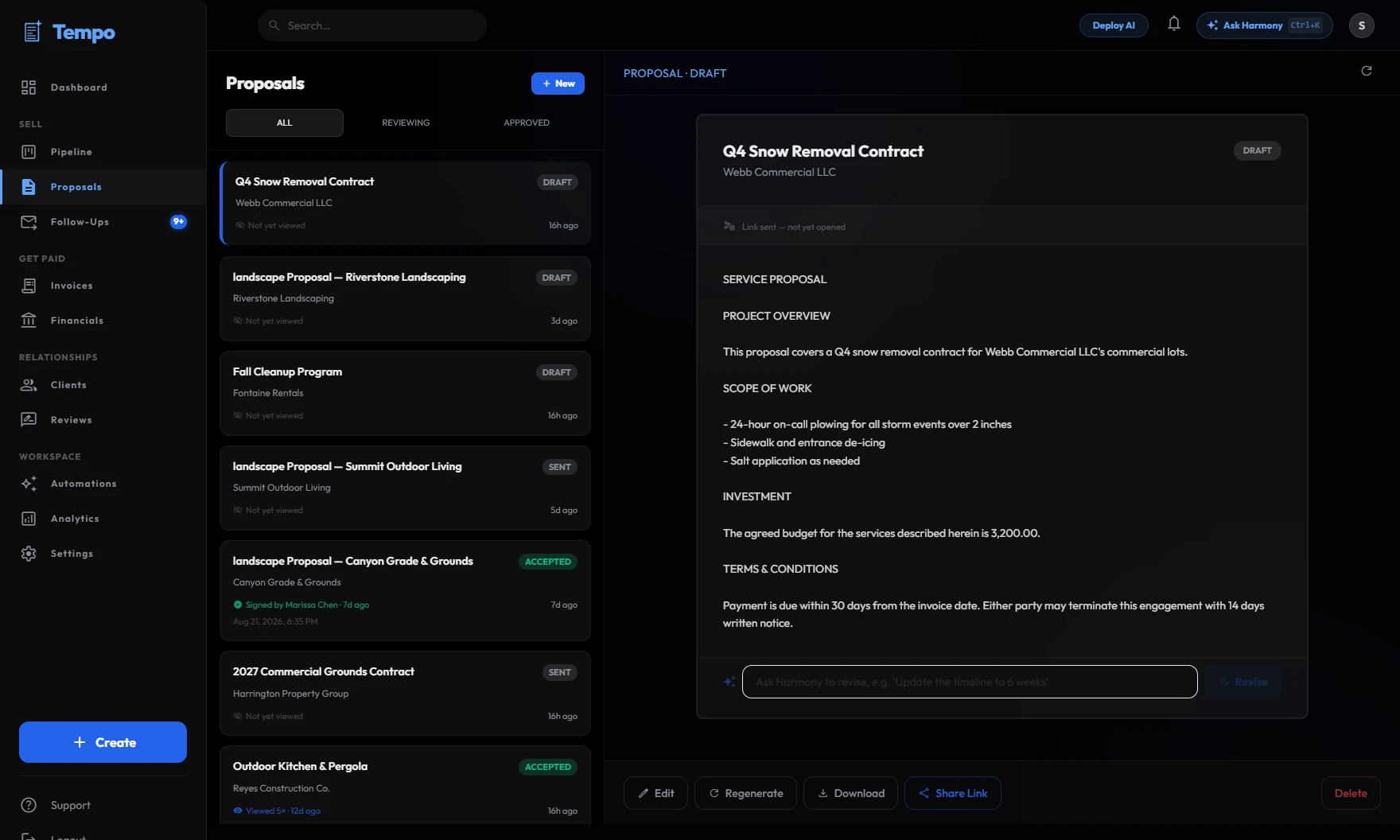
You stay in control
Nothing reaches a client until you approve it. Every draft waits in your approval queue, where you can edit it, approve it, or throw it away. There is no setting that lets Tempo send on its own.
Frequently asked questions
No. Harmony is instructed to include only the deliverables and details you provide. If you didn’t mention it, it stays out of the proposal.
Yes. You send a link, and the client reviews and signs the proposal in their browser. Tempo shows when it has been viewed and signed.
Always. You can edit the text or ask Harmony to revise it, and nothing is sent until you approve it.
Every plan starts with a 30-day free trial. After that it’s one flat monthly price, from $129/month at founder pricing for the first 20 accounts. Cancel any time.
Everything drafted. Nothing sent without you.
Harmony drafts the proposals and follow-ups, and speeds up your invoices. You just tap approve.
See how it worksStart free30-day free trial. Cancel anytime.